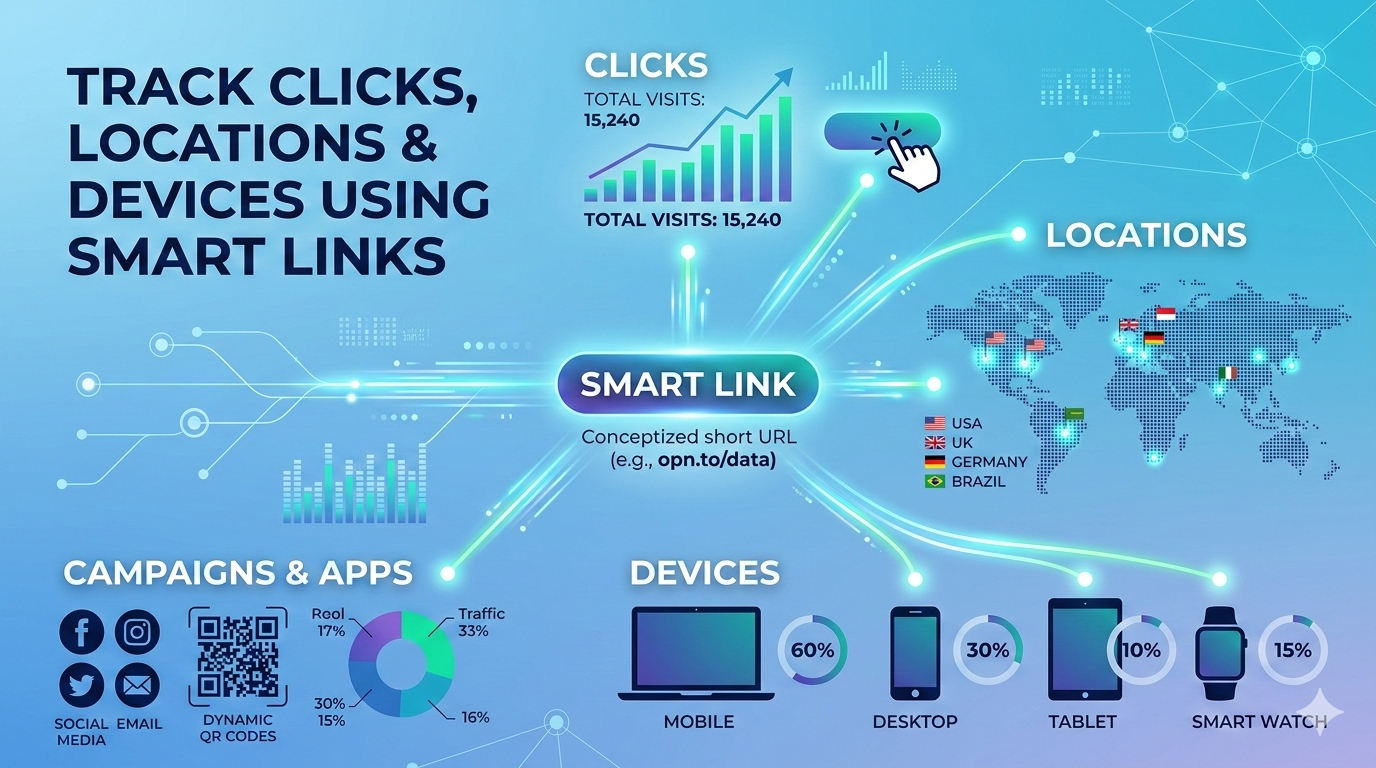
Tracking what happens after someone clicks your link is no longer optional. Whether you’re running campaigns, sharing content, or managing product links, understanding who clicked, from where, and on which device is essential for making smarter decisions.
In this guide, you’ll learn how to track link clicks using smart links, what data you can collect (clicks, locations, devices, apps), and how platforms like Openito turn raw click data into actionable insights.
What Does It Mean to Track Link Clicks?
To track link clicks means monitoring every interaction a user has with your link after it’s shared. Instead of guessing performance, you gain clear visibility into:
- How many times a link was clickedWhen clicks happenedWhich devices were used (mobile, desktop, tablet)Where users are locatedWhich app, campaign, or channel drove the click
This process is commonly referred to as click tracking or link analytics, and it forms the foundation of modern performance marketing and growth optimization.
Traditional links can’t do this. Smart links can.
What Are Smart Links?
Smart links are dynamic URLs that go far beyond basic redirection. They allow you to:
- Track clicks in real timeApply rules based on device, location, or platformUpdate destinations without changing the linkCentralize analytics in one dashboard
With Openito Smart Links, every click becomes a data point you can analyze, filter, and act on.
Learn more here:
https://openito.com/features/smart-links
What Data Can You Track with Smart Link Analytics?
1. Total Clicks & Trends Over Time
At the core of click tracking is understanding how many people clicked your link and when.
Smart link analytics allow you to:
- View total visitsAnalyze daily or custom date rangesIdentify traffic spikes or drop-offsCompare performance across time periods
This is critical for evaluating campaigns, launches, or content distribution.
Explore Openito’s analytics here:
https://openito.com/features/link-analytics
2. Device Tracking (Mobile, Desktop, OS)
Not all clicks are equal. Knowing which devices your audience uses helps you optimize experiences.
With Openito, you can track:
- Mobile vs desktop usageOperating systems (Android, iOS, Windows, macOS)Device patterns over time
This data becomes even more powerful when combined with device-based redirects, allowing you to send users to the most relevant destination automatically.
Learn more:
https://openito.com/features/device-based-redirects
3. Location & Geographic Insights
Understanding where your clicks come from is essential for regional campaigns, localization, and market expansion.
Smart link analytics can show:
- Country-level trafficRegional performanceLocation-based trends over time
This allows you to:
- Localize landing pagesRun geo-targeted campaignsIdentify unexpected growth regions
4. App & Campaign Attribution
When links are shared across multiple apps, channels, or campaigns, attribution becomes difficult.
Smart links solve this by allowing you to:
- Label links by app or campaignFilter analytics by sourceIdentify top-performing channels
This is especially useful for teams running links across email, social media, ads, QR codes, and messaging apps.
Tracking Clicks from QR Codes
Smart link analytics don’t stop at web links.
With dynamic QR codes, every scan becomes trackable just like a click. You can see:
- When a QR code was scannedWhich device scanned itWhere the scan happenedWhich campaign it belong to
Best of all, you can change the destination without reprinting the QR code.
Learn more:
https://openito.com/features/dynamic-qr-codes
Why Link Analytics Matter for Different Teams
Marketing Teams
Marketers rely on click tracking to:
- Measure campaign performanceOptimize channelsImprove ROI
https://openito.com/link-management-for-marketing-teams
Product & Growth Teams
Growth teams use smart link analytics to:
- Analyze acquisition funnelsTrack feature adoptionImprove onboarding flows
https://openito.com/link-management-for-product-growth
Sales & Customer Support
Sales and support teams track links to:
- Understand prospect engagementMeasure resource usageImprove follow-ups
https://openito.com/link-management-for-sales-teams
https://openito.com/link-management-for-customer-support
Developers & Tech Teams
Developers benefit from:
- Clean, manageable linksCentralized analyticsDevice-aware routing
https://openito.com/link-management-for-developers
https://openito.com/link-management-for-tech-saas
Industry Use Cases for Smart Link Click Tracking
Smart link analytics are used across industries, including:
- E-commerce: Track product clicks and campaigns https://openito.com/link-management-for-ecommerceEducation & eLearning: Measure content engagement https://openito.com/link-management-for-education-elearningMedia & Entertainment: Analyze content distribution https://openito.com/link-management-for-media-content-entertainmentEvents & Hospitality: Track promotions and check-ins https://openito.com/link-management-for-events https://openito.com/link-management-for-hospitalityHealthcare & Real Estate: Secure, trackable information sharing https://openito.com/link-management-for-healthcare https://openito.com/link-management-for-real-estate
Brand Trust & Clean URLs
Tracking doesn’t have to come at the cost of trust.
With brand-only mode URLs, Openito lets you:
- Use clean, branded linksRemove unnecessary tracking clutterIncrease click confidence
Learn more:
https://openito.com/features/brand-only-mode-url
How Openito Makes Click Tracking Simple
Openito’s dashboard is designed to turn complex data into clear insights:
- Date range filtersApp and device segmentationVisual charts for trendsDeduplicated device dataReal-time analytics updates
Instead of juggling multiple tools, Openito centralizes smart link analytics, click tracking, and link management in one platform.
Explore Openito:
Final Thoughts: Why Tracking Link Clicks Is Essential
If you want to grow, optimize, and scale, you need to track link clicks intelligently.
Smart links provide:
- Clear visibility into user behaviorActionable link analyticsBetter decisions across marketing, product, and sales
With Openito, tracking clicks, locations, and devices becomes not just possible — but effortless.
Start using smart link analytics today: